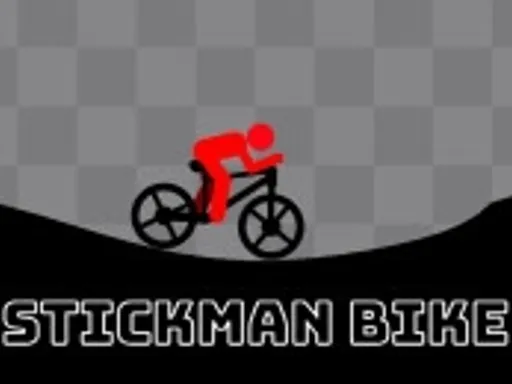
Stickman Bike
New Game





Rating:
4.41
Played:
15,320
What is Stickman Bike
This game is an obstacle course ride focused on momentum and body position. You manage speed, then you lean the rider to keep the wheels stable on narrow surfaces. In a popular web version, Stickman Bike has twenty levels, and each new level adds harder slopes, tighter landings, and trickier gaps.
A big reason Stickman Bike works so well is clarity. The stick figure, the bike, and the platforms are easy to read. You focus on balance and timing instead of menus or long tutorials.
Stunts, speed, and time
Stickman Bike rewards smooth landings, and it also rewards confidence. As you learn a track, you can build momentum, launch off ramps, and pull off quick aerial moves, then land straight and keep rolling. Many players also chase faster clears and higher scores by racing the clock once a route feels familiar. Stickman Bike still supports slower, careful play when a section looks dangerous. The key is staying in control.
What makes the gameplay challenging
Most failures come from too much speed at the wrong moment, or leaning too late. The physics reacts quickly, so you often need to set your bike angle before the wheels touch down. Some versions also include hazard surfaces that can break the bike instantly, so careful route choice matters.
Play Stickman Bike in your browser
Stickman Bike is designed for browser play, so you do not need an install. Open the game, load a level, and ride. Stickman Bike can also be played on computers and mobile devices, including phones and tablets.
For a smoother experience on playstickfight.com, these steps help:
- Use a modern browser and keep it updated.
- Close heavy tabs if the game stutters.
- Try full screen so you can read ramps earlier.
- On mobile, rotate to landscape if the buttons feel cramped.
Why browser play fits Stickman Bike
Levels restart fast. That means you can crash, learn, and retry with almost no downtime. Repetition is how skill builds in Stickman Bike, because each retry teaches you the exact speed and lean that the obstacle expects.
How to control Stickman Bike
The controls are simple: movement plus lean. A common keyboard setup is:
- W and S to ride forward and backward
- A and D to lean back and lean forward
Many players also use arrow keys with the same idea, since Stickman Bike only needs accelerate, brake, and lean.
Control tips that help you survive
- Tap acceleration on narrow paths. Tiny speed changes keep you steady.
- Lean a moment before landing, not after.
- On steep climbs, lean slightly forward so the front wheel stays planted.
- On drops, lean slightly back so the rear wheel absorbs impact first.
Once these habits click, Stickman Bike feels less random and more skill based.
Common mistakes to avoid
In Stickman Bike, beginners often hold acceleration for too long, then panic lean at the last second. Try the opposite: slow down early, set your angle, then add speed only when the wheels are lined up. One calm correction usually beats three frantic inputs.
Game source and background
Stickman Bike is credited to the developer WeLoPlay in a widely played browser release. It belongs to a long running style of stick figure physics games that focus on instant readability and fast retries.
You might see the developer name written differently on some portals, which can happen when a studio uses multiple labels across platforms. For players, the main point is that Stickman Bike is an HTML5 browser game built for short sessions and quick restarts.
What the level design teaches you
Early stages teach basic leaning and safe landings. Later stages combine ramps, gaps, and tight platforms so you must manage both speed and angle at the same time. This gradual ramp up is why Stickman Bike difficulty feels earned.
How to get better at Stickman Bike
Improvement comes from consistency, not luck.
- Replay one stage until you finish it three times in a row without falling.
- Focus on bike angle first. A safe angle usually creates a safe landing.
- Split scary obstacles into parts. Roll to the edge, pause, then commit.
- Increase speed only after you can land straight at a slower pace.
Treat every jump like a landing problem. The air time is fun, but the landing decides the run.
Frequently asked questions
Can I play Stickman Bike on mobile
Yes. Stickman Bike is commonly playable on phones and tablets as well as on desktop. On screen buttons may replace keyboard keys, but the skills are the same.
How many levels are there in Stickman Bike
A popular web version includes twenty levels. Many players replay them to chase better times and cleaner finishes.
Why do I crash when I touch certain surfaces
Some versions treat specific hazard surfaces as instant failure zones, so touching them can break the bike right away. When you see a danger surface, slow down and plan your line.
What should I do if Stickman Bike feels laggy
Refresh the page, then close other heavy tabs. Make sure your browser is updated. Smooth performance matters because Stickman Bike physics depends on timing.
What is the fastest way to improve
Clean landings save more time than risky speed. Learn the safe speed for each jump, then raise it little by little while keeping the bike straight.
Where should I play Stickman Bike
For a simple and direct start, play Stickman Bike on https://playstickfight.com. You can jump in quickly, practice back to back runs, and track your improvement.
Final thoughts
Stickman Bike looks simple, but it has real depth. With only speed and lean, you still face dozens of small decisions every level. Load it on playstickfight.com and see how far your balance can take you in Stickman Bike.






Comments
Loading comments…