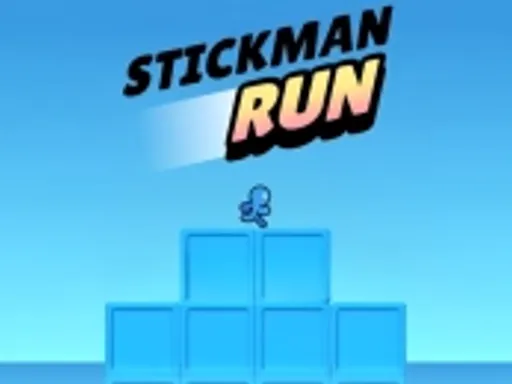
Stickman Run
New Game





Rating:
4.28
Played:
11,234
Stickman Run is a quick action game where a stick figure keeps moving forward and you survive by reacting at the right moment. You do not need long tutorials. You learn by playing, failing, and trying again. If you want a game that feels simple but stays challenging, Stickman Run delivers that mix in a few seconds.
What is Stickman Run?
Stickman Run is a runner and platform game built around timing. The character runs on its own, and you control the key moves that keep you alive. Most of the challenge comes from reading the track ahead and choosing when to jump, duck, or change your pace.
In Stickman Run, the goal is usually to travel as far as you can and set a new personal best. Some versions also add coins, checkpoints, or small upgrades. Even with extras, the core challenge stays the same: you and your reflexes.
The core gameplay loop
A typical round starts fast. Obstacles appear early, so you must focus right away. You clear a gap, avoid a trap, then the speed slowly rises. When you make a mistake, the round ends, and you restart with one click. That tight loop in Stickman Run fits short breaks and also supports long score chasing sessions.
What makes the game fun
Stickman art is clear and readable. It helps you see hazards without visual noise. The pace in Stickman Run creates a steady sense of pressure, yet the rules stay fair. When you fail, you can usually point to one decision you would change. That makes improvement feel real.
Play Stickman Run in your browser
You can play Stickman Run online with no download. Open https://playstickfight.com, choose the game, and press play. Browser play is great for quick access, and it works well on both computers and phones.
Playing Stickman Run in a browser also makes it easy to pause and come back later. You can play a few rounds, close the tab, and return when you feel like beating your record. If you like sharing games with friends, it is easy to launch on almost any device.
Smooth play tips
If the game stutters, refresh the page and close extra tabs. Turning off heavy extensions can help too. On mobile, try landscape mode and keep other apps closed. In Stickman Run, precise input matters, so smoother performance makes every jump feel more reliable.
How to control Stickman Run
Stickman Run is known for simple controls. Many browser versions use one main action for jumping. The most common inputs are Space, Up Arrow, left mouse click, or a screen tap. Once you learn that single action, you can focus on timing.
Some versions of Stickman Run also include a slide or duck move for low obstacles. If you see barriers that sit close to the ground, look for an on screen hint. If there is no hint, the game may be jump only.
Control tips that actually help
In Stickman Run, try to avoid panic tapping. One calm input is better than three rushed ones. Watch the edge of a gap and jump later than you think you need to. Landing clean often matters more than clearing the jump by a wide margin.
A good practice method is to play three rounds where you ignore score. In those rounds, you study the rhythm and learn how far the character travels after you press the key. After that, you go for distance in Stickman Run with better confidence.
Where did Stickman Run come from?
Stickman Run belongs to a long line of stick figure games that grew popular on the early web. Stick figures were easy to animate and easy to read, so they became a common style for fast action games. Runner games also became popular because they turn one simple move into a skill test.
Today, the name Stickman Run is used for multiple releases across web and mobile. A widely shared browser version is an endless runner with one button jumping and score chasing. Credits vary across versions, because the title is used widely and republished in many places. The shared theme stays steady: a stickman running forward, and you keeping it alive with timing.
Why there are so many versions
The words “stickman” and “run” describe the idea in plain language, so different studios reuse the name. That is normal in casual game culture. When you visit https://playstickfight.com, you can focus on one place to play Stickman Run in the browser without hunting through many copies.
Stickman Run FAQ
Is it free?
The game is commonly offered as a free browser game. On https://playstickfight.com you can start playing right away.
Can I play on mobile?
Yes. Most versions support touch input. Tap to jump, keep your thumb relaxed, and you will get better results over time.
Do I need to install anything?
No. You can play Stickman Run in your browser, so there is nothing to install and nothing to update.
Why is there lag?
Lag often comes from low memory, too many tabs, or an old browser. Refresh the page, close other apps, and try again. A smoother frame rate helps your timing.
How do I improve my score?
Focus on consistency. Jump with a steady rhythm, and avoid risky moves when the path is tight. If the game has coins, treat them as optional. Survival comes first.
Is it suitable for kids?
The visuals are usually cartoon style and the challenge is about reflexes. Still, the fail and restart loop can feel intense. Short sessions and breaks help, and it works well as a quick skill game.
Does it save progress?
Many endless runners save only your best score. Some store it in the browser, so clearing cookies or switching devices can reset it. If you want a stable record, take a screenshot after a great run.
My keys do not work. What should I do?
Click the game window once so it is active. Then try Space or Up Arrow. If you use a mouse, click inside the game area. On mobile, tap the play area. If it still does not respond, refresh the page.
Final thoughts
Stickman Run is simple to start and hard to master. That is the charm. If you want a fast reflex challenge, play on https://playstickfight.com and see how far you can go. Then come back and beat your own best score.




Comments
Loading comments…